Face Source Tracking
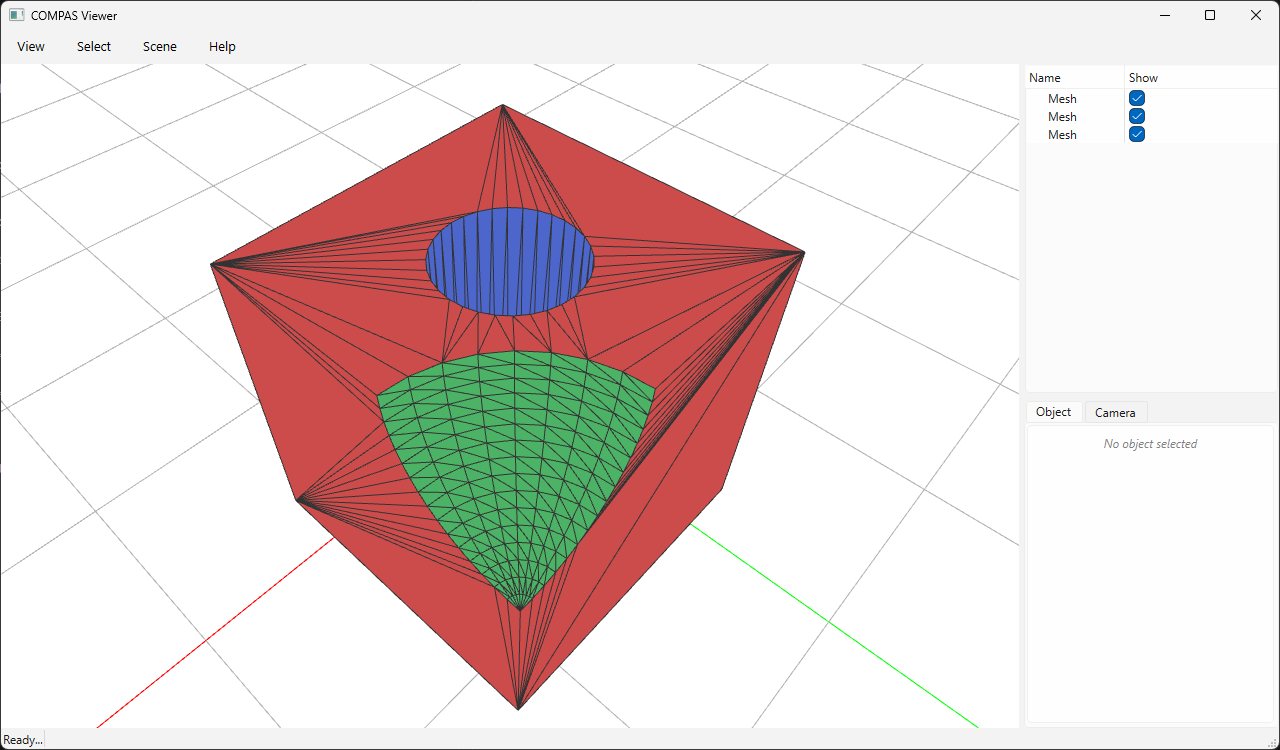
boolean_chain_with_face_source runs a boolean chain and additionally reports,
for every output triangle, which input mesh and which original face it came
from. The result is (V, F, S) where S[i] = [mesh_id, face_id]:
mesh_id— the position of the source mesh in the input list.face_id— the row index of the original face in that mesh.
Tracking uses Manifold's native mesh-relation machinery (OriginalID and the
output run / face IDs).
split_by_source turns the tags into one submesh per input, perfect for
colouring each contribution differently.
Run it (requires compas_viewer):
python docs/examples/example_boolean_face_source.py
from compas.datastructures import Mesh
from compas.geometry import Box
from compas.geometry import Cylinder
from compas.geometry import Frame
from compas.geometry import Sphere
from compas_viewer import Viewer

from compas_manifold.booleans import boolean_chain_with_face_source
from compas_manifold.booleans import split_by_source

cube = Box(2).to_vertices_and_faces(triangulated=True)
sphere = Sphere(0.8, point=[1, 1, 1]).to_vertices_and_faces(u=32, v=32, triangulated=True)
cyl = Cylinder(0.4, 4.0, Frame([0, 0, 0], [1, 0, 0], [0, 1, 0])).to_vertices_and_faces(u=32, triangulated=True)

V, F, S = boolean_chain_with_face_source([cube, sphere, cyl], ["difference", "difference"])

# Separate the tagged result into one mesh per source input.
parts = split_by_source(V, F, S)

colors = {0: (0.8, 0.3, 0.3), 1: (0.3, 0.7, 0.4), 2: (0.3, 0.4, 0.8)}

# =============================================================================
# Visualize
# =============================================================================

viewer = Viewer()
for mesh_id, (Vp, Fp) in parts.items():
    mesh = Mesh.from_vertices_and_faces(Vp.tolist(), Fp.tolist())
    viewer.scene.add(
        mesh,
        facecolor=colors.get(mesh_id, (0.5, 0.5, 0.5)),
        lineswidth=1,
        show_points=False,
    )
viewer.show()