07 · Pack (distance)
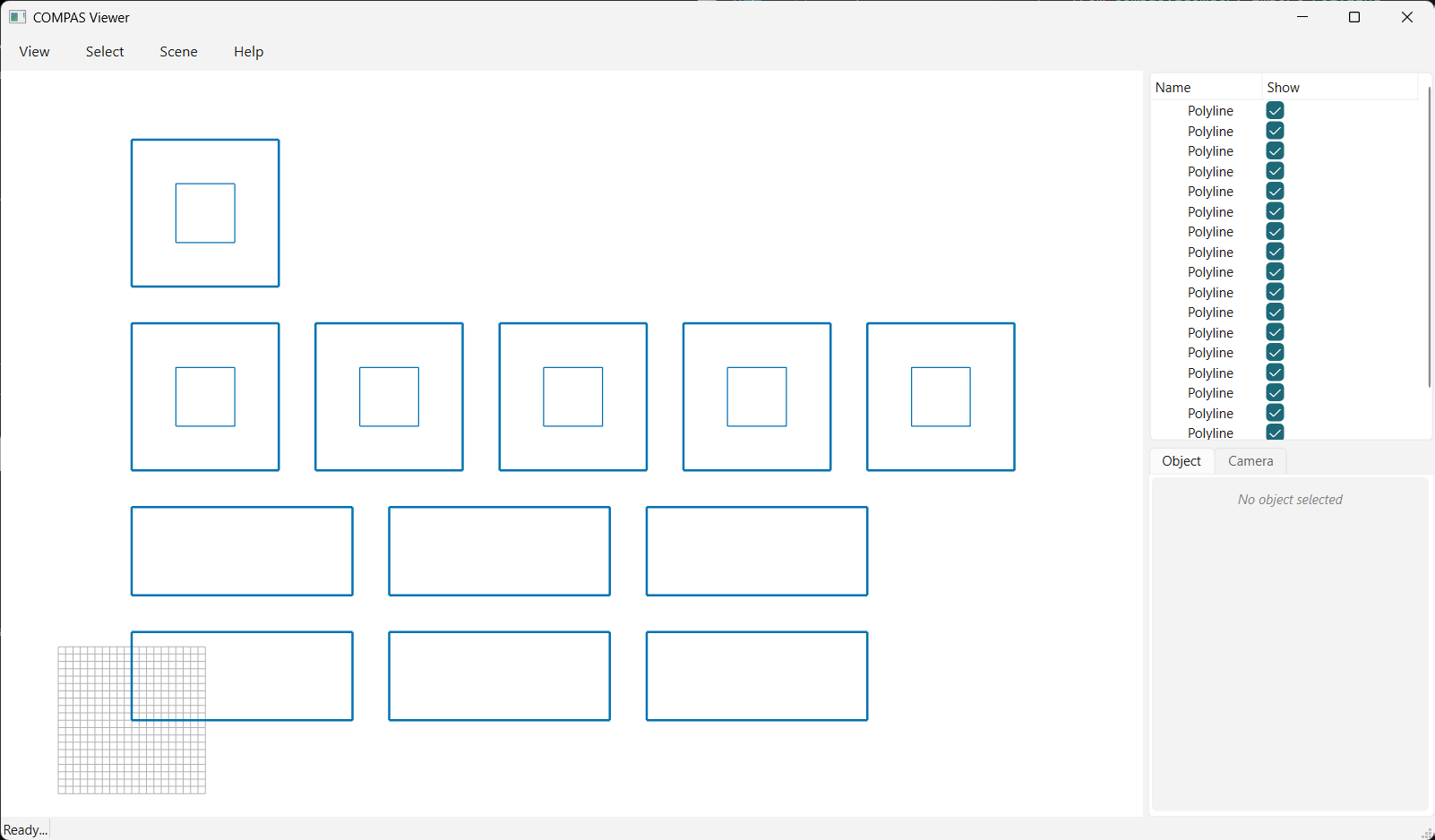
Pack parts by row width with pack(..., max_width=...): a row fills up to the given distance,
then the next element wraps to a new row.
from pathlib import Path

from compas.colors import Color
from compas.geometry import Polyline
from compas_viewer import Viewer

from compas_nest import nest_geo
from compas_nest import nest_result
from compas_nest import pack

BLUE: Color = Color.from_hex("#0072B2")
OUTPUT: Path = Path(__file__).parent.parent / "data" / "output" / "07_pack_distance.json"

# 1. parts (one with a hole) with several copies each
geo: nest_geo = nest_geo()
geo.add_part(
    Polyline([
        [0, 0, 0],
        [30, 0, 0],
        [30, 12, 0],
        [0, 12, 0],
        [0, 0, 0],
    ]),
    copies=6,
)
geo.add_part(
    Polyline([
        [0, 0, 0],
        [20, 0, 0],
        [20, 20, 0],
        [0, 20, 0],
        [0, 0, 0],
    ]),
    holes=[
        Polyline([
            [6, 6, 0],
            [14, 6, 0],
            [14, 14, 0],
            [6, 14, 0],
            [6, 6, 0],
        ]),
    ],
    copies=6,
)

# 2. pack by distance: fill a row up to max_width, then wrap to the next row
result: nest_result = pack(geo, max_width=120.0, gap_x=5.0, gap_y=5.0)

# 3. view the layout (elements blue)
viewer: Viewer = Viewer()
for group in result.placed_polylines():
    for part in group["parts"]:
        viewer.scene.add(part["outline"], linecolor=BLUE, linewidth=2)
        for hole in part["holes"]:
            viewer.scene.add(hole, linecolor=BLUE)
viewer.show()

# 4. save the placed geometry to JSON (full result) and OBJ (outlines + holes)
result.to_json(OUTPUT)
result.to_obj(OUTPUT.with_suffix(".obj"))